Docs › Snippets
Snippets
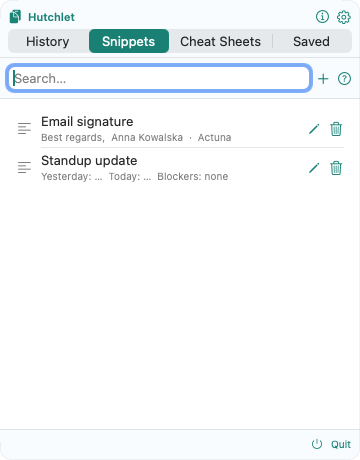
Snippets are bits of text you reuse — save once, paste with a click. Unlike history (captured automatically), snippets are the text you keep on purpose: replies, signatures, boilerplate, commands you don’t want to forget.
Create & organise
- New snippet — add text you reuse and give it a home.
- Folders — group snippets by context (for example Support, Sales, Dev).
- Sorting — manual order, most-used, or recently-used. Hutchlet tracks how often and when each snippet is pasted.
- Search — find a snippet by its content. Secret snippets aren’t indexed.
Fill-in fields
Type {name} in a snippet for fields to fill in when you paste. Hutchlet hints when a snippet is templated, and prompts for each field at paste time — handy for greetings, ticket numbers, or anything that changes per use.
Hi {first_name}, thanks for reaching out about ticket #{ticket}.Secret snippets
A snippet can hold sensitive text (a license key, a shared credential). Mark it as a secret and it’s encrypted and masked just like clipboard secrets, revealed only behind Touch ID.
Choose which Snippets appear in the panel from Settings → Snippets.