Docs › Privacy & security
Privacy & security
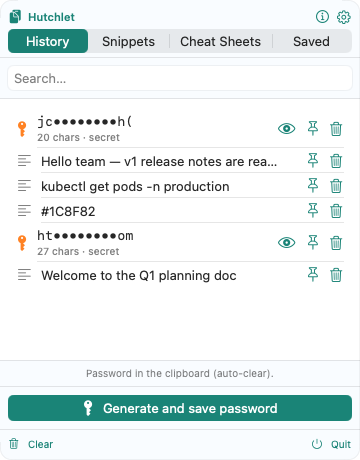
Privacy is the core of Hutchlet’s design: your data stays on your Mac. We do not collect, transmit, sell, or share any of it.
This page explains how the app handles your data. The formal, GDPR-compliant privacy policy — covering the app, this website (including hosting server logs) and e-mail correspondence — is here: Privacy Policy (English) · Polityka prywatności (polski).
At a glance
| Category | Collected? | Stored locally? | Sent anywhere? |
|---|---|---|---|
| Clipboard contents | Only locally | Yes (encrypted for secrets) | No |
| Copy/paste history | Only locally | Yes | No |
| Secrets (passwords, keys, cards) | Only locally | Yes (encrypted) | No |
| Crash logs | No | Apple only (if you opt in to Apple’s diagnostics) | Apple only |
| Analytics / telemetry | No | No | No |
| Device identifiers | No | No | No |
What we collect about you
Nothing. Hutchlet:
- has no servers, accounts, or sign-in;
- contains no analytics, telemetry, advertising, or tracking SDKs;
- makes no network connections with your clipboard data — the current build has no networking entitlement at all;
- uses no AI or machine-learning models to process clipboard contents — sensitive-data classification is done on-device with deterministic rules.
Encryption
Secrets are encrypted at rest with Apple CryptoKit (AES-256-GCM). The key is held in the Secure Enclave / data-protection Keychain and unlocked with Touch ID. Plaintext is never written to disk or shown until you authenticate. Large text and images are spilled to local blob files inside the app’s container and referenced from history. All of it stays on your Mac.
Permissions & why
| Permission | Why |
|---|---|
| Clipboard access | To provide history. The App Store build asks on first launch and monitors only after you enable it; the Developer-ID build monitors from launch and can be paused or quit at any time. Read locally in both. |
| Input Monitoring (optional) | To detect the configured mouse gesture. It observes only that button/chord — it does not record keystrokes. |
| Accessibility / “Post Events” (optional) | Only if you turn on auto-paste, so the app can send ⌘V after you pick an item. Without it, Hutchlet just copies and you paste yourself. |
You can revoke any of these in System Settings → Privacy & Security at any time.
Retention & deletion
History is bounded by your retention settings and can be cleared at any time. Deleting an entry removes it — and any encrypted secret and on-disk blob — from your Mac. Uninstalling the app removes its container and all stored data.
Source-available — verify it yourself
Hutchlet’s source code is published so anyone can read it and confirm exactly how it handles your data, including that there are no network calls. It is source-available, not open source: you may inspect and audit it, but not copy, modify, fork, redistribute, or build a competing product from it.
Security & responsible disclosure
Because a clipboard can hold passwords and tokens, security is a first-class concern. Found an issue? Please report it privately to security@actuna.pl rather than opening a public issue, and give us a chance to ship a fix before disclosure. We follow coordinated disclosure: we acknowledge reports within 3 business days, provide an initial assessment within 7 days, and aim to ship a fix and publish a note within 90 days. We are happy to credit you. Machine-readable contact details: security.txt.
Questions about privacy and data-subject requests: rodo@actuna.pl · Security reports: security@actuna.pl · Actuna Sp. z o.o.