A clipboard manager built for developers.
Commands, API responses, tokens, snippets — your clipboard does real work. Hutchlet keeps it all searchable, keeps your API keys encrypted behind Touch ID, and turns the commands you retype every day into safe fill-in templates.
macOS 14+ · Apple Silicon · One-time purchase · No account, no tracking, no network.
Four developer problems, one menu-bar app
Hutchlet replaces the pile of terminal history tricks, scratch files and “where did I put that token” moments.
Stop retyping terminal commands
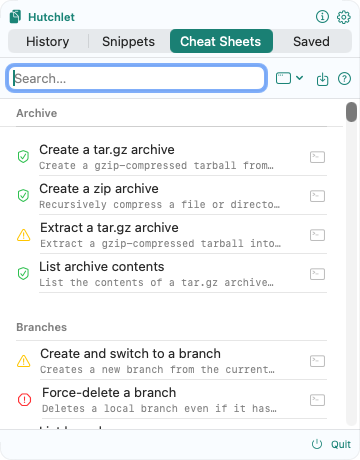
Cheat Sheets turn the commands you run all day into fill-in-the-blank templates. Fill the parameters, see a live preview of the exact command, then copy or paste — Hutchlet never presses Enter for you. Risk badges flag destructive operations before they happen.
Keep API keys out of plain-text history
Most clipboard tools store your AWS_SECRET_ACCESS_KEY like any other text. Hutchlet detects secrets automatically, masks them in the list, encrypts them with Apple CryptoKit and reveals them only after Touch ID.
Reuse the text you type every day
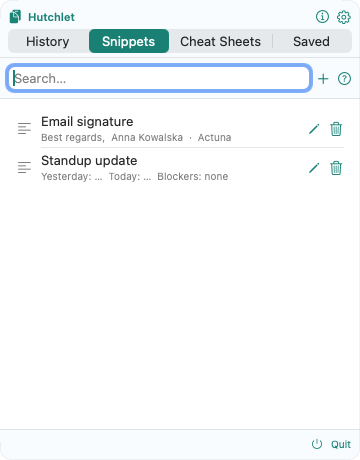
Snippets hold the code blocks, replies and boilerplate you paste on repeat. Add {fields} to fill in on paste, and organise everything into folders.
Share ready commands with your team
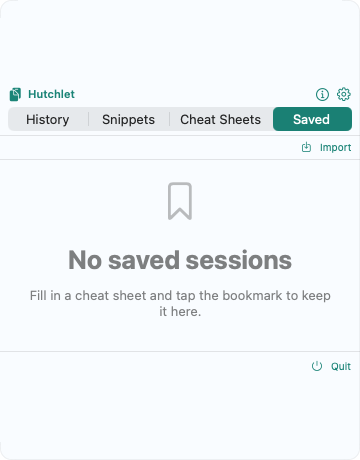
Save a filled-in Cheat Sheet as a Saved Session and hand it to a teammate as a portable link — the exact command, parameters and preview, with the run decision still in their hands.
See the exact command before it goes anywhere
Every template renders with your values substituted, so a wrong flag never reaches the terminal. The riskiest actions need an explicit confirmation on top.
Explore the built-in templates →# A template…
kubectl logs ${pod} -n ${namespace} --tail=${lines}
# …you fill in
pod = api-7f9c
namespace = production
lines = 200
# …and preview before it goes anywhere
kubectl logs api-7f9c -n production --tail=200Snippets and Saved Sessions in action
Developer questions, answered
Can Hutchlet run commands automatically?
No — and that’s the point. Hutchlet prepares the command, shows you a live preview with every parameter filled in, and pastes it without pressing Enter. You decide when it runs.
Does Hutchlet work offline?
Completely. The current build has no networking entitlement, so it cannot make network calls at all. Everything — history, secrets, snippets, templates — lives on your Mac.
Can I share commands with teammates?
Yes. Save a filled-in command as a Saved Session and hand it to a teammate as a portable link — they get the exact command, parameters and preview, and still decide whether to run it.
How do I keep API keys out of clipboard history?
Hutchlet detects secrets such as API keys, tokens and passwords automatically, masks them in the list and stores them encrypted with Apple CryptoKit — revealed only after Touch ID.
Your terminal will thank you
One quiet menu-bar app: searchable history, encrypted secrets, snippets and safe command templates.