How-to › Paste the right thing
Paste the right thing every time
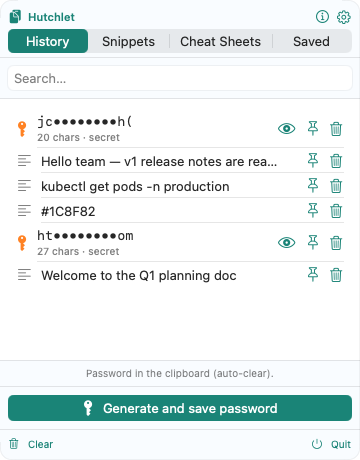
Copy-pasting all day means constantly losing the thing you copied three steps ago. Here’s how to make the right item always one tap away.
Summon without leaving the keyboard
Press ⌘⇧V where you’re typing. The panel opens at your cursor with your most recent copies on top.
Filter instead of scroll
Start typing in Search…. History filters by content instantly — find that URL or paragraph from earlier without scrolling.
Pin the things you reuse
Pin your standard reply, a project ID, the address you paste into every form. Pinned items stay at the top and are never auto-evicted.
Keep it tidy
Use Remove unpinned items to clear the clutter while your pins survive. Tune retention so history stays useful, not endless.
Anything sensitive you copy is detected and handled as a secret — encrypted and kept out of search — so a fast history never leaks a password.
Why it’s faster
No more re-copying, no more “what did I copy first?”, no more hunting through tabs. The item you need is either at the top, pinned, or a two-letter search away.